
How do I setup my HSM Portal account?
All HSM customers in the US and Canada have access to the HSM Portal. If you are based at a Hilton property, please use your Lobby credentials to login. If you are above-property or have been invited to use the HSM Portal, you will need to follow the instructions below to setup your account.
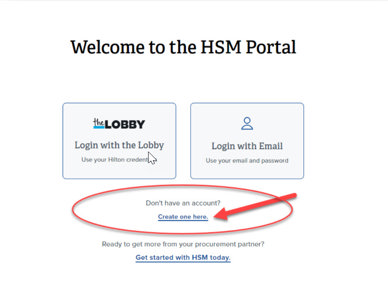
1. From the HSM Portal login page, click on "Create one here".
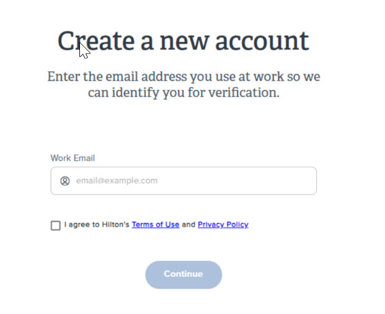
2. Enter your work email address. (Contact your HSM account representative if you use gmail, yahoo, etc.) Click the checkbox next to "I agree" and then click Continue.
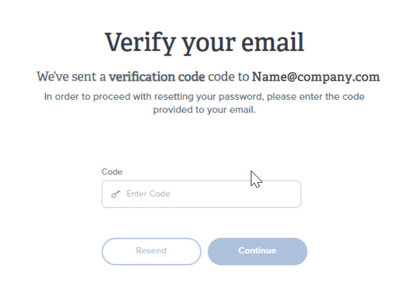
3. Check your work email for the verification code and enter it into the field. Click Continue.
4. Create a password that meets the specified requirements.
5. Return to the HSM Portal login page and click on "Login with Email" to login with your newly-created account.